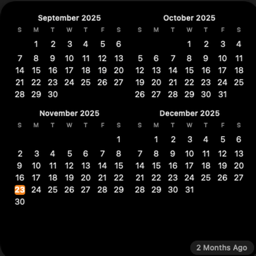
 MoreMonths
Support
Questions, bug reports, or ideas? Email moremonths.manned684@passinbox.com. MoreMonths is made by one person, so replies can take a few days.
Add the widget
iPhone and iPad: touch and hold an empty spot on the Home Screen, tap Edit, then Add Widget, and choose MoreMonths. Swipe to pick a size, then tap Add Widget.
Mac: Control-click the desktop, choose Edit Widgets, find MoreMonths, and drag it onto the desktop.
Change the starting month or layout
Touch and hold the widget (or Control-click it on a Mac) and choose Edit Widget. You can start up to three months before or after the current month, and choose two or three months for the medium size.
Free trial and supporting MoreMonths
MoreMonths is free for 30 days from the first time you open it. After that, the widget asks you to support the developer, either yearly or with a one-time purchase, to keep using it. Open the MoreMonths app and tap Support the Developer.
Restore a purchase
On a new device, open MoreMonths and tap Restore Purchases while signed in to the same Apple Account you used to buy it.
Cancel the yearly plan
Yearly support renews automatically. To cancel, open Settings, tap your name, then Subscriptions, and choose MoreMonths. You keep access until the end of the current year.
Refunds
Purchases are processed by Apple. To ask for a refund, visit reportaproblem.apple.com.